
I Built My Own RSS Reader in an Afternoon — With AI Doing the Typing
How I built LumenAI — a local-first, native macOS RSS reader with full-text search, offline reading, and pluggable AI summaries — from an empty folder to a signed DMG in about an hour, with Claude writing every line.
On this page
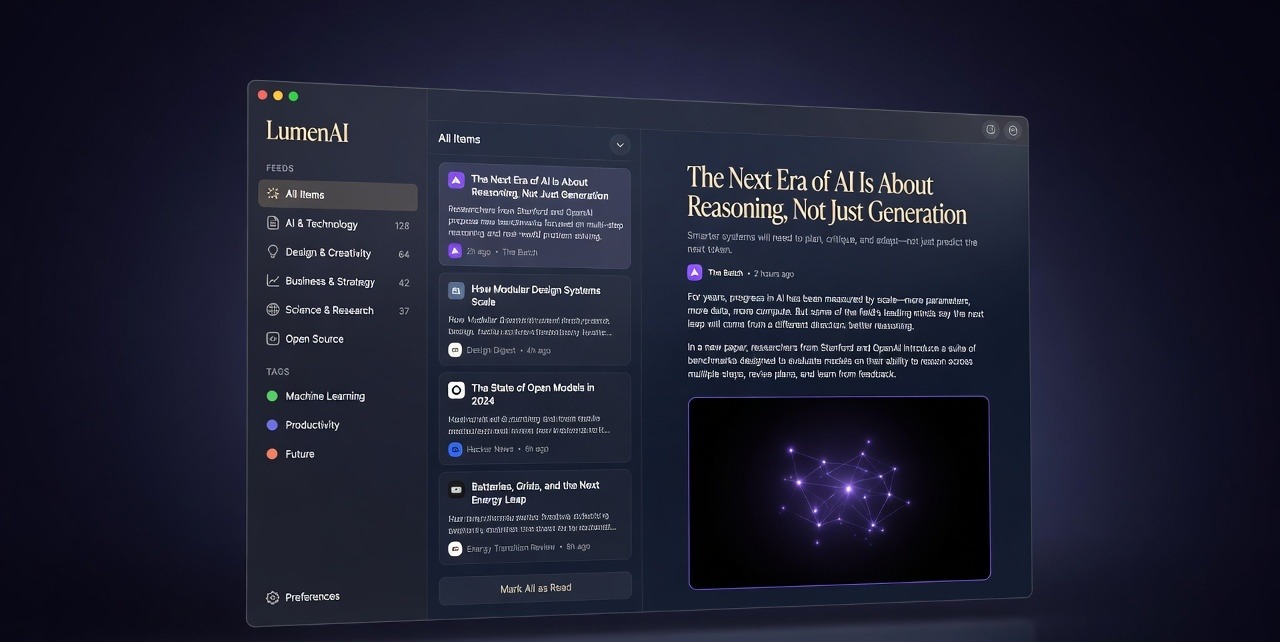
For years my RSS setup was a compromise. I never wanted to pay for a desktop reader, so I got stuck with The Old Reader — a perfectly fine service, but using it felt like visiting a website, because that’s exactly what it was. Open a browser tab, log in, scroll, repeat tomorrow. What I actually wanted was simple: a native Mac app, my feeds downloaded and stored locally, no account, no subscription, fast enough to triage a hundred articles with my keyboard.
Then I heard about Claude’s new Fable model and thought: fine, let’s stop wishing and just build the thing. This is the story of LumenAI — a local-first RSS reader for macOS with AI summaries — built from an empty folder to a notarizable DMG in about an hour of wall-clock time, with me acting as product owner and build verifier while the AI wrote the code.
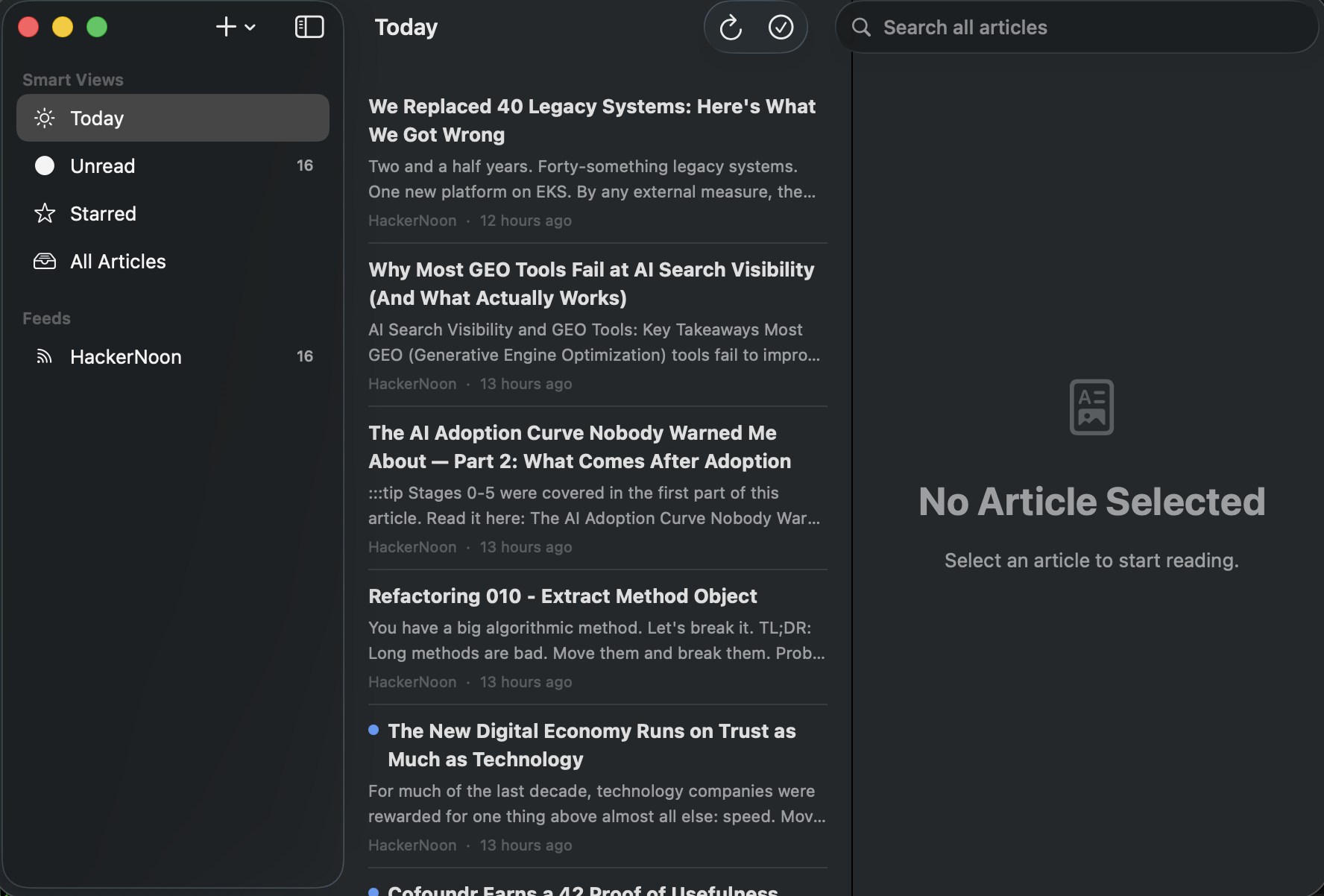
That’s the real app, not a mockup. There’s a full captioned gallery here — the loaded feed list, OPML import, the memory footprint, and the DMG build.
The Idea
The pitch I gave the AI was one paragraph: a local RSS reader for Mac, feeds downloaded and stored on my machine, a premium feel, and treat it like a real engineering project — clear phases, and ask me questions before making decisions. That last part turned out to be the most important sentence in the whole project.
Instead of immediately generating a wall of code, it interviewed me. What stack? What does v1 include, and — just as important — what does it exclude? How should refresh work? What does “premium” mean to you, concretely? By the end of a few rounds of multiple-choice questions, we had a real spec:
v1 goals: subscribe to feeds, full article extraction, fast local search, OPML import/export, saved views, deduplication, offline reading, AI summaries, keyboard-first navigation, dark/light themes, typography controls, reader mode, reading progress.
v1 non-goals: semantic search, topic clustering, multi-device sync, social anything.
Writing down the non-goals felt almost ceremonial at the time. It wasn’t. Every time scope tried to creep, that list killed the discussion in one line.
The Stack
Every choice optimized for “native feel, local data, no servers.”
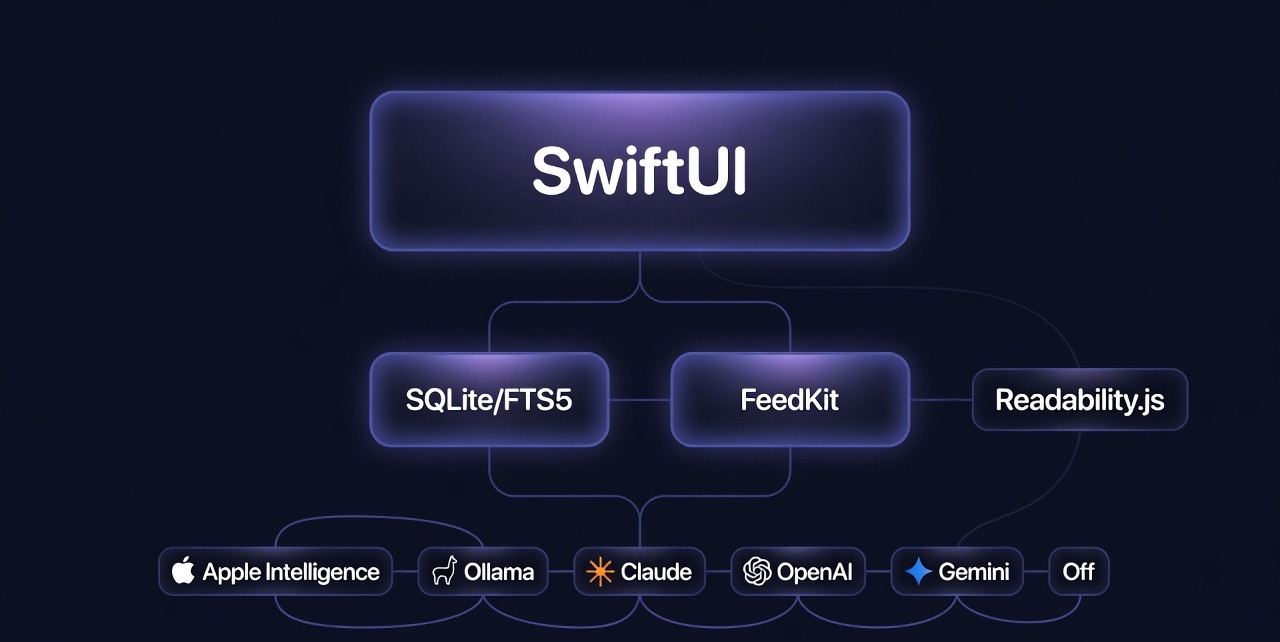
The app is Swift and SwiftUI targeting macOS 14, because nothing fakes the feel of a real Mac app. Storage is SQLite via GRDB.swift, chosen over Apple’s SwiftData specifically for FTS5 — SQLite’s built-in full-text search engine, which gives instant search across every article ever downloaded, entirely offline. Feed parsing is FeedKit, wrapped in a normalizer layer so the rest of the app never touches a FeedKit type and JSON Feed support costs no schema changes. Full-text extraction is Mozilla’s Readability.js — the same engine behind Firefox’s reader mode — running in a hidden WKWebView with the page’s own JavaScript disabled. The reader itself is a WKWebView used purely as a rendering layer for a themed HTML template; everything around it stays SwiftUI. The project file is generated by XcodeGen from a YAML spec, which kept the AI and Xcode from ever fighting over a .xcodeproj.
The AI layer is the part I’m proudest of architecturally: a single SummaryProvider protocol with six implementations — Apple Intelligence (on-device, appears only on macOS 26+), Ollama for local models, Claude, OpenAI, Gemini, and Disabled. One protocol method. Swapping providers is a dropdown in Settings; API keys live in the macOS Keychain.
The Seven Phases (Okay, Eight)
We numbered from zero, like civilized people.
Phase 0 — Scaffold. XcodeGen project, sandbox and network entitlements, and a three-pane shell (sidebar, article list, reader) running on sample data. The exit criterion was simply “builds and runs.” It almost did: the very first build failed with Swift’s infamous “the compiler is unable to type-check this expression in reasonable time” — the AI had written a too-clever nested closure to generate sample data. It rewrote it as a boring for loop. A very human bug, honestly.
Phase 1 — Data layer. The real schema: feeds, folders, articles, saved views, an FTS5 index kept in sync by SQL triggers, and a three-tier deduplication identity — an article is its guid if the feed provides one, else its normalized URL (tracking parameters stripped), else a content hash. Ten unit tests against an in-memory database before any networking existed.
Phase 2 — Feed engine. Fetching with HTTP conditional GET, so unchanged feeds cost a 304 response instead of a re-download. Feed auto-discovery, so typing daringfireball.net finds the actual feed URL by scanning the page’s <link> tags. RSS, Atom, and JSON Feed all normalize into one canonical model. By the end of this phase the app was genuinely usable: subscribe, read, refresh.
Phase 3 — Core UI. Folders, favicons, thumbnails, unread badges, and the thing that makes an RSS reader feel like a tool instead of a website: keyboard navigation. j/k to move, space for next unread, s to star, m to toggle read. The Reeder dialect, basically.
Phase 4 — Reading experience. Select an article and it silently fetches the source page, runs Readability.js over it, and stores clean full text — so a feed that only publishes two-line excerpts still gives you whole articles, offline, forever. Typography controls (serif/sans, size, line width), themes that follow the system, and per-article reading progress that restores when you come back. This phase also produced the best bug of the project: scroll position was saved to app state, which regenerated the reader HTML, which reloaded the page, which reset the scroll — an infinite loop the AI caught in code review before I ever built it.
Phase 5 — Search, saved views, OPML. Global FTS5 search from the toolbar, saved views (persistent named filters — “unread Swift articles from these three feeds, last 30 days”), and OPML import/export so my subscriptions could finally walk out of The Old Reader with folder structure intact.
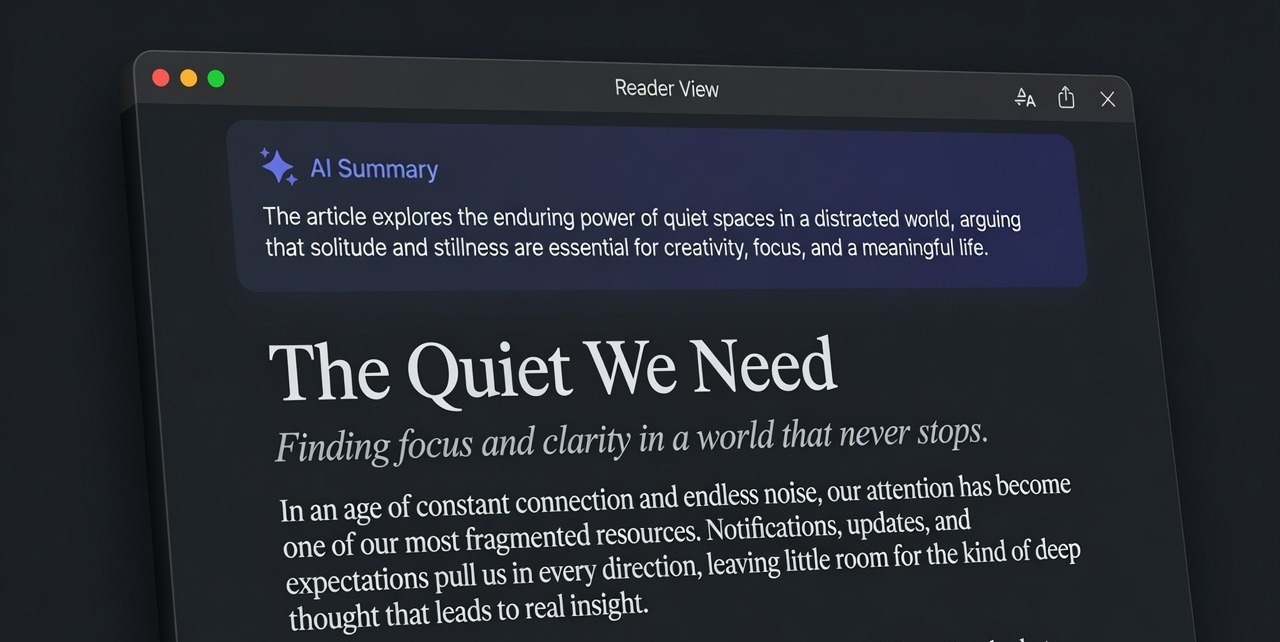
Phase 6 — AI summaries. The provider protocol described above, plus a deliberately boring prompt: summarize in two or three sentences, be specific, no “this article discusses.” The summary renders as a tinted card above the article. The point isn’t to replace reading — it’s triage. Is this worth my next ten minutes?
Phase 7 — Polish. An app icon (generated programmatically — an RSS glyph under a sparkle on an indigo gradient), a dock badge with the unread count, render-path caching so thousand-article lists scroll smoothly, and a one-command script that builds a signed, drag-to-Applications DMG.
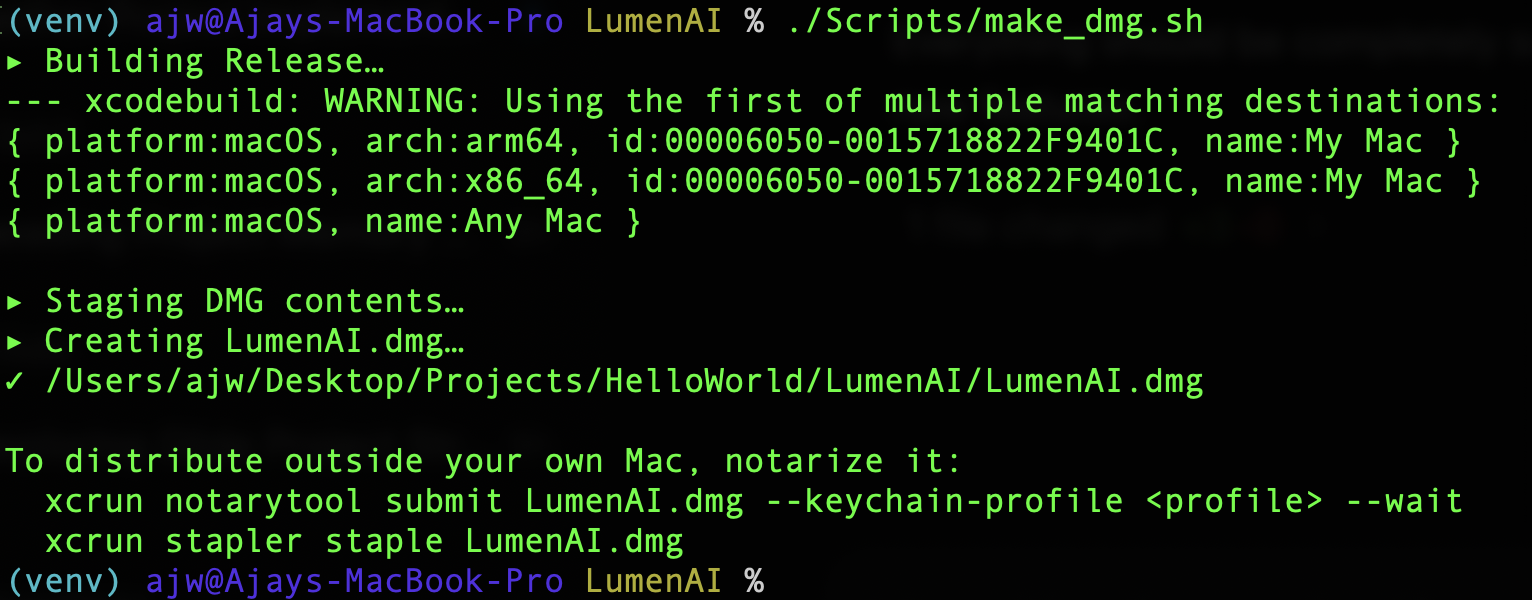
The Phase 7 finale, for real: one script, one signed DMG on the Desktop. More screenshots — the loaded feed list after OPML import, and the app’s 143 MB memory footprint in Activity Monitor — are on the LumenAI screenshots page.
What the Lifecycle Actually Felt Like
The loop for every phase was identical: the AI proposed decisions and asked questions, wrote the code and its tests, and then stopped — because it couldn’t compile anything. Its sandbox is Linux; you can’t build a Mac app there. So I was the build machine. ⌘U, ⌘R, report back. “Build succeeded, go ahead” became the rhythm of the afternoon.
That constraint turned out to be a feature. It forced a real checkpoint between phases — a human running the actual app — instead of an unbroken firehose of unverified code. Of the three failures across the whole project, two were caught by my builds (the type-checker timeout, and a “cannot find type” error that turned out to mean I’d forgotten to re-run XcodeGen after files were added) and one was caught by the AI re-reading its own code. Final tally: 38 Swift files, 27 tests, zero runtime crashes encountered.
The other thing that surprised me: being asked questions felt like the AI respecting that it was my app. Tech stack, refresh cadence, dedup policy, summary length, even the app’s name — every fork in the road was a decision I made in seconds from a menu of researched options, instead of an assumption silently baked into code I’d discover three weeks later.
What I’d Tell You If You’re Tempted
Treat it like an engineering project, not a magic trick. The phases, the non-goals list, the tests, the check-in after every phase — that structure is why this worked in an hour instead of unraveling in a weekend. The AI typed every line of code, but the spec, the taste, and the “no, simpler” calls were the human contribution, and the project needed both.
And yes — the app starts instantly, works on a plane, and never asks me to log in. The subscription I avoided paying for has been replaced by the most expensive thing of all: now I want to build everything.
LumenAI is Swift/SwiftUI on macOS 14+, with GRDB, FeedKit, and Readability.js. Built with Claude Fable 5.

About the Author
Ajay Walia
AI {IT Architect} focusing on local-first multi-agent AI engineering, zero-data-egress systems. Ideator, Creator and Executor on Curious Bit.
Keep Reading

Aether, Grown Wild — The Implementation Journey (v2.6 → v2.8.2)
The second chapter of Aether: how a local-first team of IT architecture agents grew from a clean idea into a 13-agent, web-first, self-escalating system — and every bug that shaped it along the way.
RAG Chatbot from indexed public documentation
A domain-specific Retrieval-Augmented Generation assistant built with LangChain, OpenAI embeddings and FAISS that answers questions about the GitHub REST API strictly from indexed public documentation. Week 15 graded mini-project of the IITM Pravartak Professional Certificate Programme in Agentic AI and Applications.
I Built a Team of IT Architects using LLM That Live on MacBook — Meet Aether
How I built Aether — a local-first, multi-agent AI system that runs 10 specialist IT architecture advisors on a single MacBook M5 Pro, with no cloud, no API costs, and zero data egress.