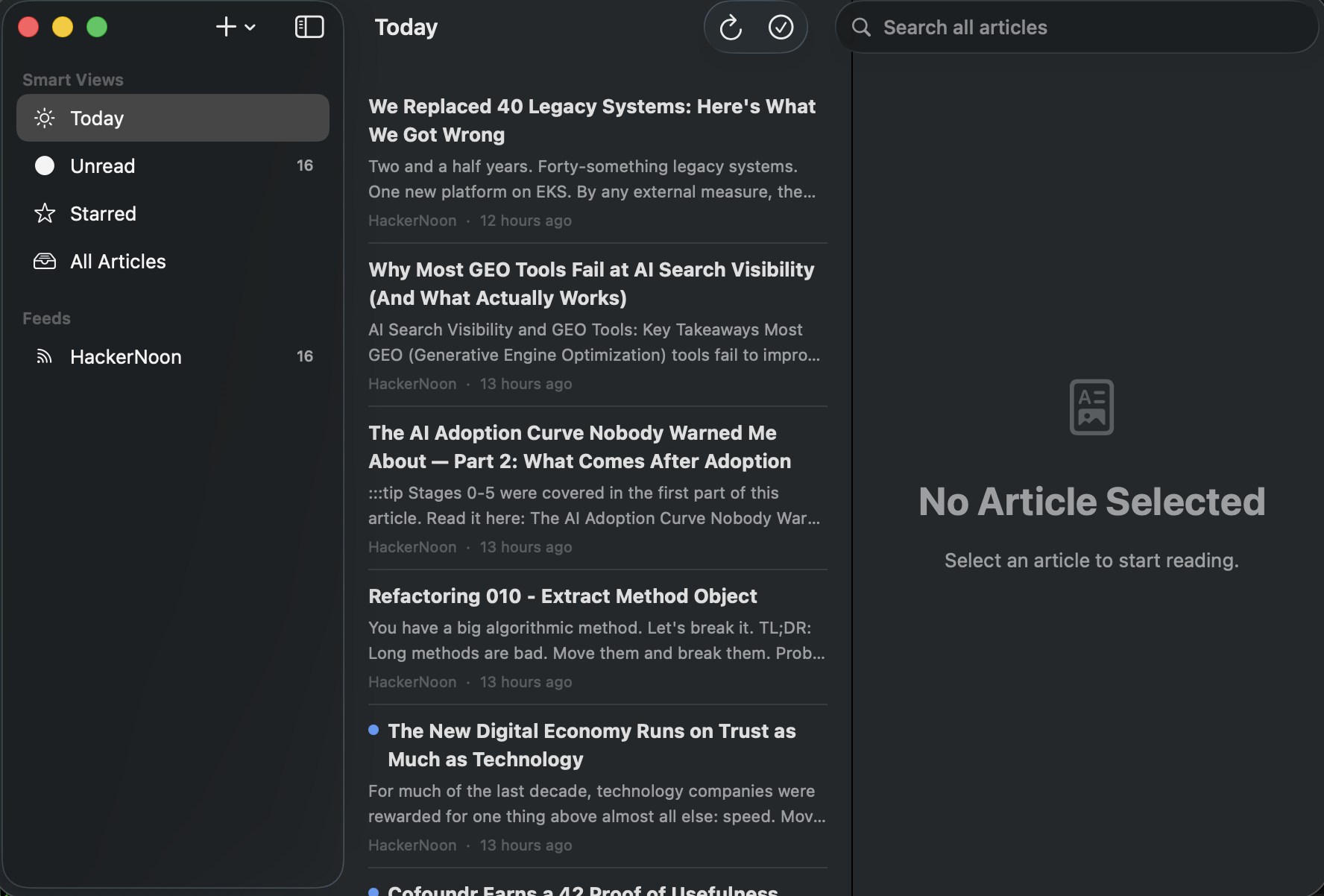
The three-pane shell, for real this time
Sidebar with Smart Views (Today, Unread, Starred, All Articles) and feeds with unread badges, the article list with summaries and timestamps, and the reader pane waiting on the right. This is the Phase 0 scaffold all grown up — pure SwiftUI, native to its bones.
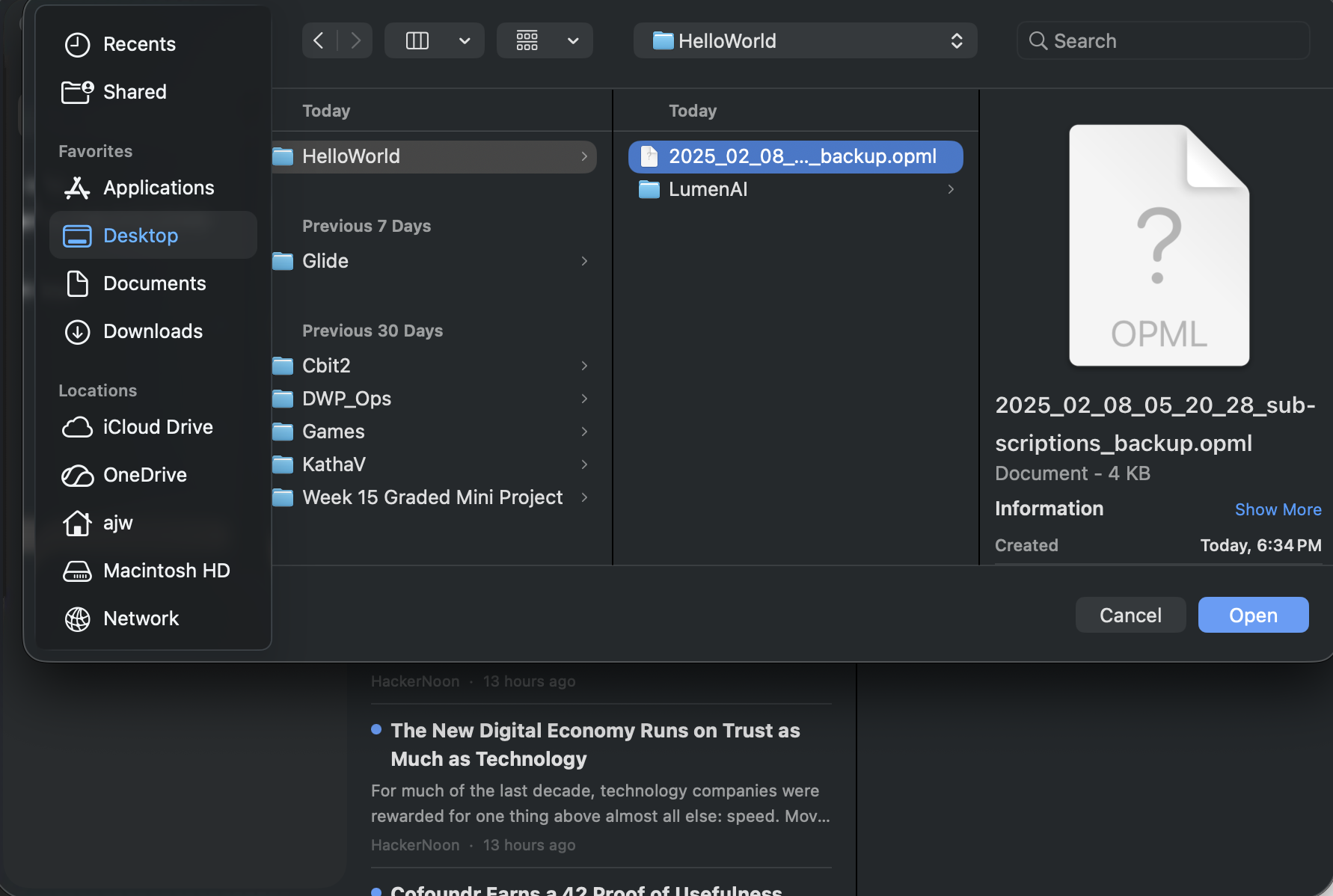
Subscriptions walking out of The Old Reader
The Phase 5 payoff: a standard macOS open panel pointed at subscriptions_backup.opml — years of feeds leaving the browser-tab reader with folder structure intact. Export works the same way, so the data can leave LumenAI just as easily as it arrived.
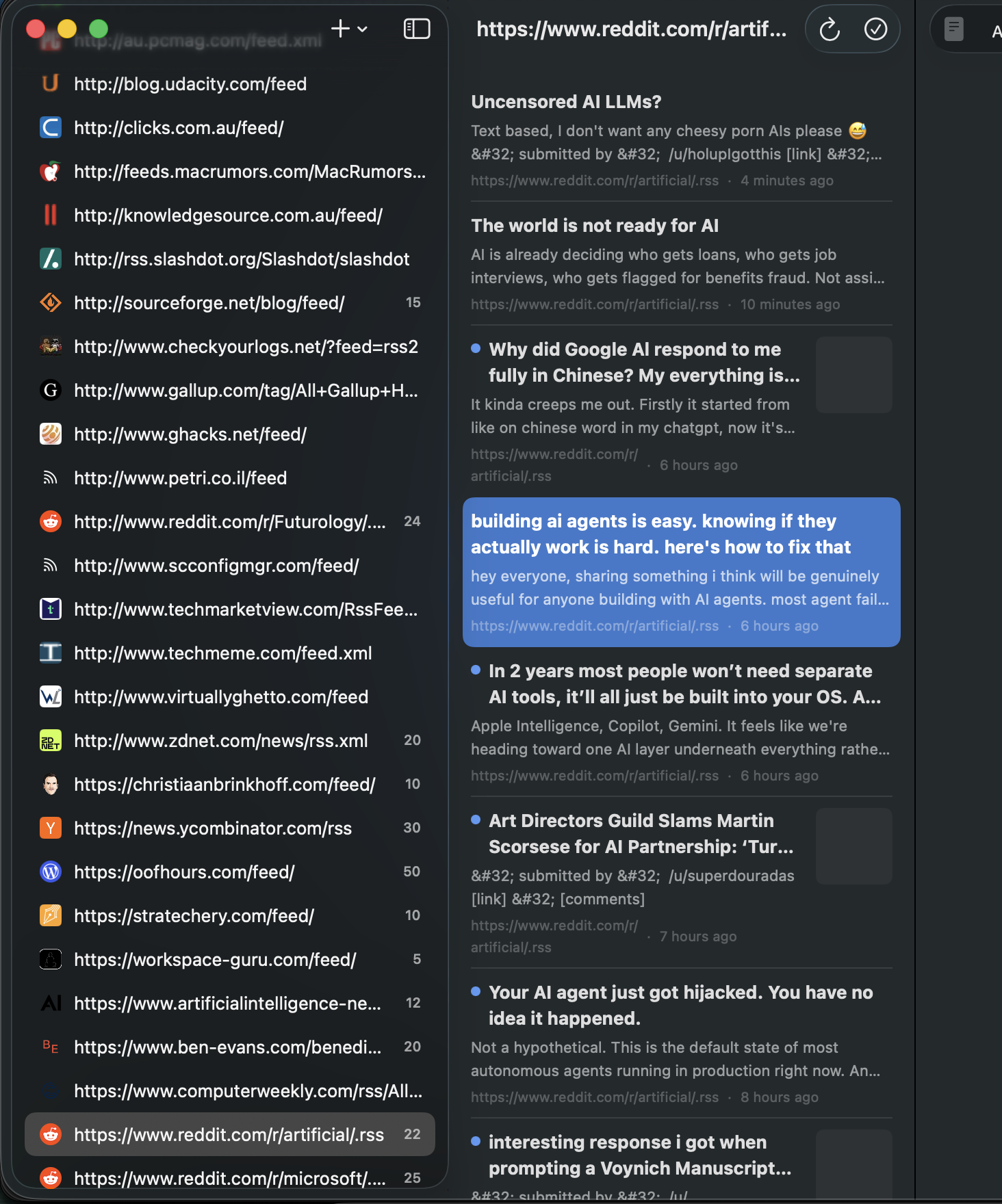
The real subscription list, badges and all
Dozens of imported feeds with favicons and unread counts — Slashdot, Hacker News, Stratechery, ZDNet, Reddit and friends — with an article selected in the indigo highlight. Every one of these articles is stored locally in SQLite, deduplicated and FTS5-indexed.
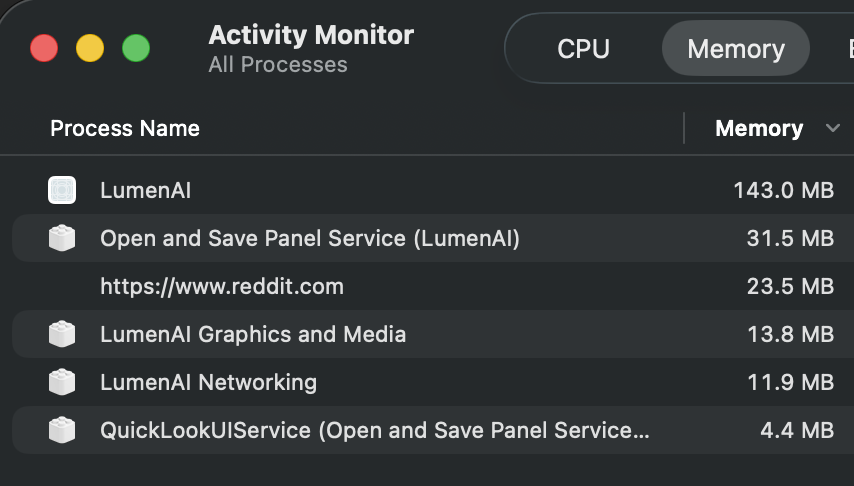
The whole bill: 143 MB
LumenAI at work in Activity Monitor — about 143 MB for the app, plus small WebKit helper processes for networking and rendering. A full RSS reader with offline full-text search costs less memory than a couple of pinned browser tabs.
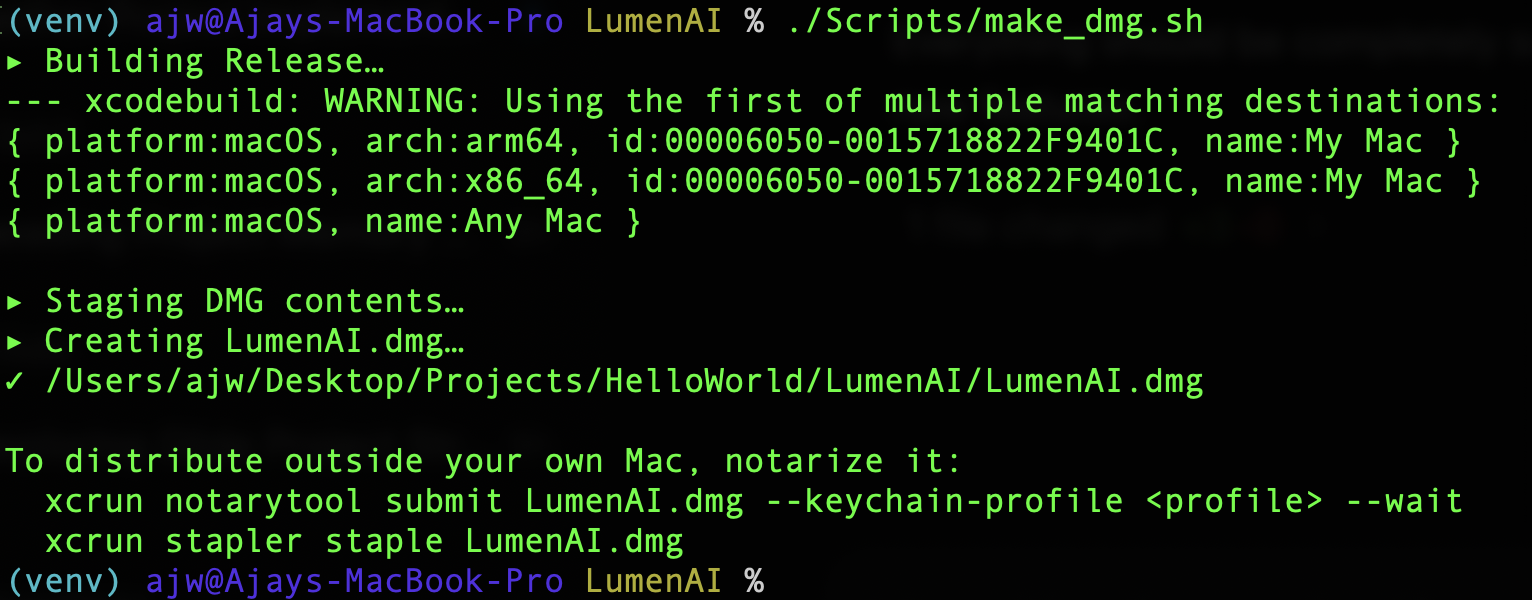
./Scripts/make_dmg.sh
The Phase 7 finale: one script signs the app, stages the drag-to-Applications layout, and produces LumenAI.dmg on the Desktop — with the notarytool commands printed for distribution beyond this Mac. From empty folder to installer, one command at the end.