
Building a RAG chatbot with Flowise — a low-code visual pipeline.
How I built a retrieval-based (RAG) jewellery-store chatbot with Flowise — a low-code visual pipeline that reads a product catalogue, remembers context, and suggests alternatives when an item is out of stock. My Week 20 mini-project write-up.
On this page
A walkthrough of my Week 20 mini-project — a retrieval-based AI chatbot built with a visual, low-code pipeline.
The brief
For this project I set out to build a customer-facing chatbot for a fictional jewellery brand, Ornativa Jewels, based in Hyderabad. The idea was simple to describe but genuinely interesting to build: a shopper should be able to ask natural questions — “What’s the price of the Pearl Necklace?”, “Show me your diamond pieces”, “Is the Ruby Solitaire Ring available?” — and get accurate answers drawn straight from the store’s product catalogue.
There was one hard rule: no hard-coded answers. The bot had to actually read a catalogue (a PDF with 10 products) and retrieve the right information on the fly. That makes it a retrieval-augmented chatbot — or RAG, if you like acronyms.
And rather than write it all in code, I built it in Flowise, a low-code tool where you assemble an AI pipeline by dragging nodes onto a canvas and connecting them, a bit like wiring a flowchart.
Why Flowise and not something else? Fair question. Microsoft’s Copilot Studio does this too, but it pulls you into the Power Platform licensing world before you’ve built anything. Botpress is polished but conversation-flow-first, with RAG bolted on. Langflow is the closest cousin — I picked Flowise because it exposes the LangChain-style building blocks (splitter, embeddings, vector store, chain) as first-class nodes, which is exactly what I wanted to learn, not hide. For a production enterprise bot the calculus changes; for understanding how RAG actually fits together, Flowise is the most honest of the visual tools.
The whole thing was also cheap and quick: roughly a weekend of tinkering, and the API bill — embeddings for one 10-product PDF plus all my test chats on gpt-4o-mini — came to well under a dollar. (Illustrative, not a benchmark: your token counts will vary.)
What RAG actually means (in one paragraph)
Large language models are confident talkers, but they don’t know your private data and they’ll happily make things up. RAG fixes both problems by giving the model a cheat sheet at answer time. You take your documents, break them into chunks, convert each chunk into a numerical “embedding,” and store them. When a user asks something, the system finds the most relevant chunks and hands them to the model with an instruction like “answer using only this.” The result is answers grounded in your content, not the model’s imagination.
What I built
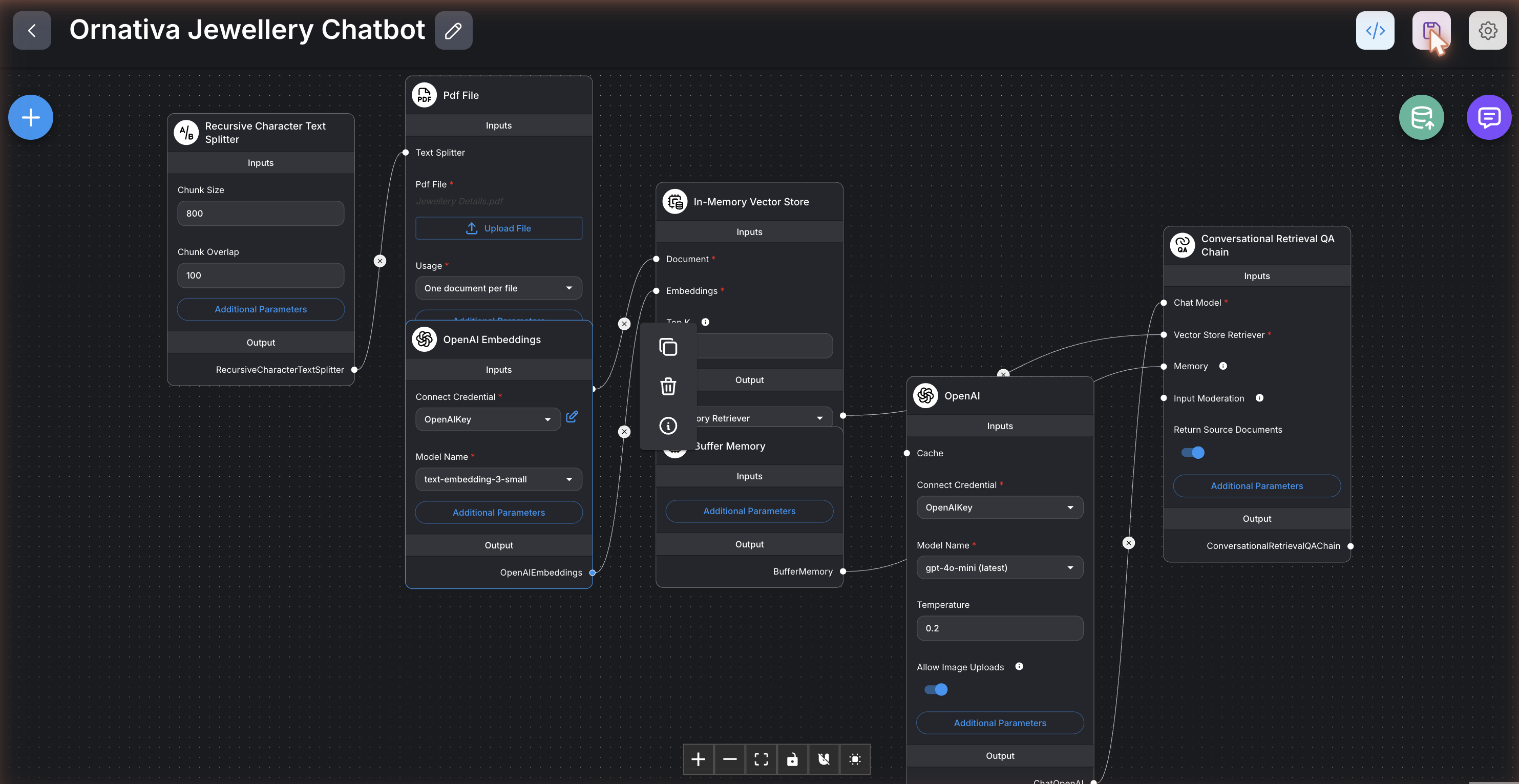
The finished pipeline has seven connected nodes, and each does one job:
- A PDF loader reads the catalogue.
- A text splitter breaks it into bite-sized chunks (I used ~800 characters with a little overlap, enough to keep each product’s details together).
- An embeddings node turns those chunks into vectors.
- A vector store holds them and returns the closest matches to any question.
- A chat model (OpenAI’s gpt-4o-mini) writes the replies.
- A memory node lets the bot remember the last few turns.
- A retrieval chain ties it all together with a custom prompt.
That prompt is where Ornativa’s personality lives. I told the model to be “Ornativa’s virtual jewellery expert — polite, concise, and factual,” to answer only from the catalogue, to quote prices in rupees, and — my favourite touch — to handle out-of-stock items gracefully by suggesting a close in-stock alternative.
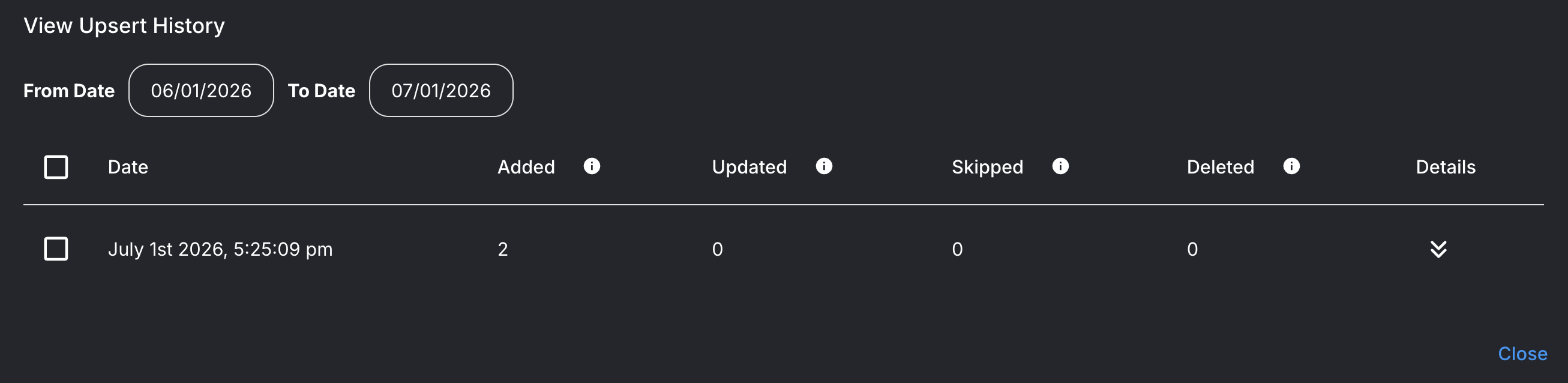
Before the bot can answer anything, the catalogue has to be ingested — chunked, embedded, and stored. In Flowise that’s one click (“upsert”), and it confirms exactly what went in:
Did it work?
Yes — and testing it was the fun part. A few real exchanges:
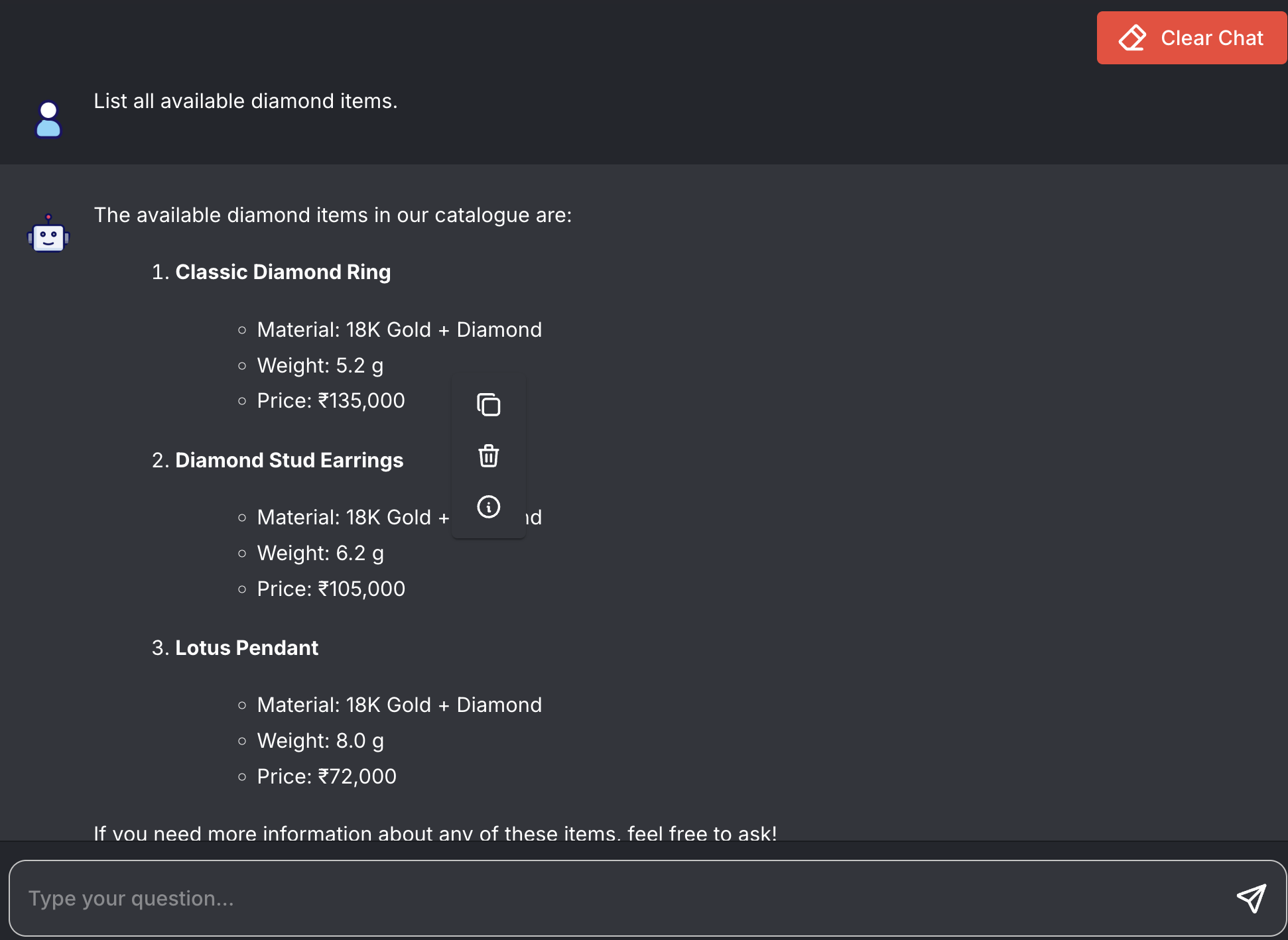
“List all available diamond items.” → It returned the Classic Diamond Ring (₹135,000), Diamond Stud Earrings (₹105,000), and Lotus Pendant (₹72,000):
“What’s the price of the ring?” (asked right after) → It remembered the context and answered about the Classic Diamond Ring — proof the memory was working.
“Do you have the Ruby Solitaire Ring?” → It knew the item was out of stock and offered the closest available piece instead, exactly the behaviour I designed:

“Do you sell platinum rings?” → “I’m sorry, I don’t have that information in our current catalogue.” No hallucination — it stuck to what it actually knew.
The issues I ran into (and fixed)
No project is smooth, and honestly the debugging taught me the most.
Getting Flowise running locally was a fight. My first attempt to start it failed with a wall of red errors. The culprits were version mismatches: I was on a very new Node.js version that Flowise’s components didn’t support yet, and a recent Python change had removed a module its build step relied on. Rather than untangle all of that, I switched to Flowise Cloud — no install, and I was building within minutes.
My chatflow wouldn’t import. I exported the pipeline as a JSON file, tried to load it, and… nothing happened. After some digging I realised two things. First, I was using the wrong import option — the file has to be loaded through the canvas’s own “Load Chatflow” menu, not a top-level import button. Second, and more subtly, the JSON had been generated against an older version of Flowise, and the newer cloud version quietly rejected it. Rebuilding the file against the current node definitions fixed it, and the whole pipeline snapped into place.
The lesson that kept repeating: with fast-moving tools, versions matter more than you’d expect, and the error message is rarely the whole story.
What it taught me
Beyond the jewellery, the project was really about the bigger ideas behind agentic AI:
- The role of low-code/no-code tools — how a visual builder lowers the barrier to assembling real AI systems.
- Building pipelines visually — document loading, chunking, embeddings, retrieval, prompting, and memory, all wired by hand.
- Low-code vs. writing code — the trade-offs (more on that below).
- Designing multi-step pipelines — getting several tools to cooperate toward one goal.
Low-code vs. code: my honest take
Flowise was fantastic for speed. I could see the whole system at a glance, change a prompt or a chunk size, and re-test in seconds. For prototyping and learning, that visual feedback loop is hard to beat, and non-developers can genuinely build useful things with it.
The trade-off is control. When something breaks — like my import issue — you’re partly at the mercy of the tool’s abstractions and version quirks. Writing the same pipeline in code (say, with LangChain) gives you finer control and easier version pinning, at the cost of more setup and a steeper learning curve. My conclusion: low-code to prototype and learn; code when you need production-grade control.
Where these tools go next
The pattern I built — point a chatbot at a set of documents and let it answer grounded questions — is wildly reusable. A few directions I can see:
- Customer support: product FAQs, order policies, troubleshooting guides.
- Internal knowledge assistants: HR policies, IT runbooks, onboarding docs.
- Education: a tutor that answers only from your course material.
- Professional search: legal, medical, or financial document Q&A, where grounding and citations really matter.
- E-commerce: exactly this jewellery use case, scaled up. Honest caveat: my in-memory vector store dies with the session and won’t hold thousands of products — a real deployment would swap in a persistent store (pgvector, Qdrant, Pinecone) and replace the static PDF with a live inventory API. The pipeline shape stays the same; only the endpoints get more serious.
Swap the catalogue for any document set, adjust the prompt, and you have a brand-new assistant.
Takeaway
In a weekend-sized project I went from a PDF and an idea to a working, memory-aware chatbot that answers grounded questions and handles edge cases like out-of-stock items — without hard-coding a single answer. The tools have reached a point where the hard part isn’t the plumbing anymore; it’s the thinking: what data to feed the model, how to chunk it, and how to shape the prompt. That’s a genuinely exciting shift, and a fun one to be learning right now.
Built with Flowise + OpenAI, as part of my Agentic AI coursework. If you want the code-first version of this pattern, I built one earlier: RAG chatbot over indexed public documentation. And if the embeddings step felt like magic, LLM & Embeddings — one predicts words, one maps meaning unpacks it.

About the Author
Ajay Walia
AI {IT Architect} focusing on local-first multi-agent AI engineering, zero-data-egress systems. Ideator, Creator and Executor on Curious Bit.
Keep Reading
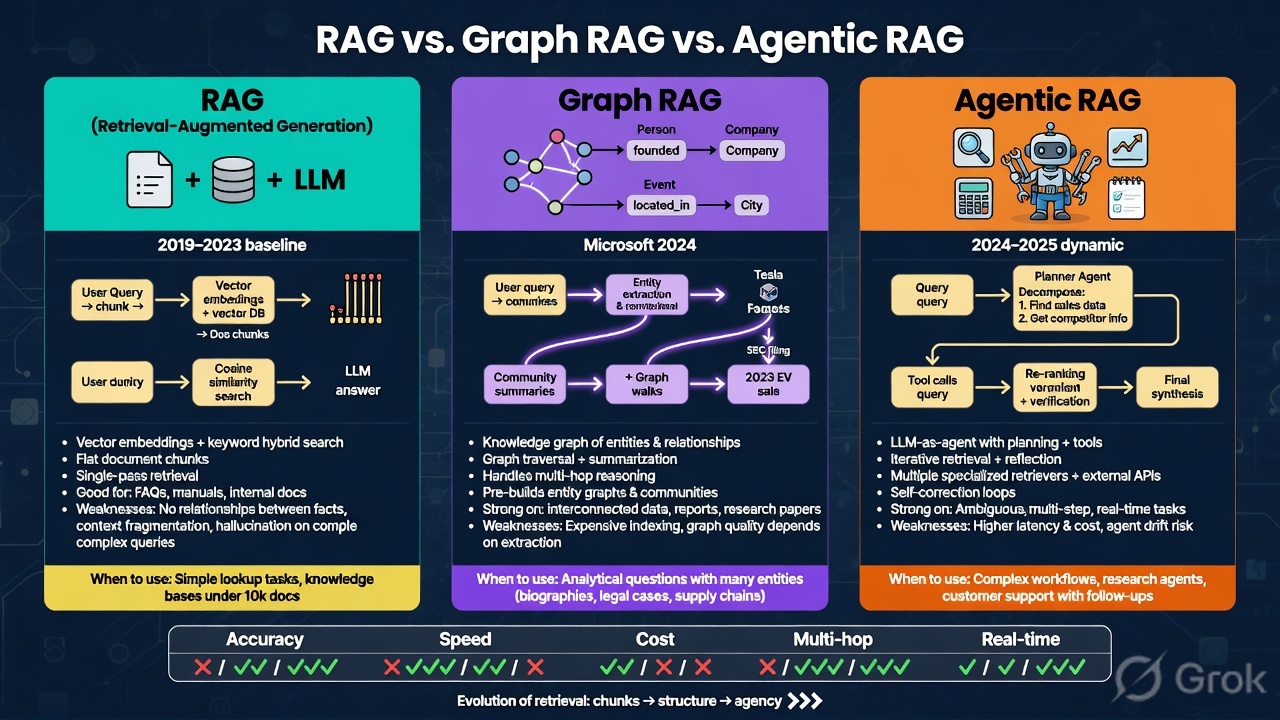
RAG, Graph RAG, Agentic RAG — and How to Make Any of Them 32× Memory Efficient
A visual breakdown of three RAG architectures — when each one wins, where it breaks down, and how binary quantization can shrink the vector index by 32× without changing the architecture you picked.
Knowledge Compounds, Labour Doesn't — Why Knowledge Agents Will Define the Next Decade of Infrastructure Outsourcing
For thirty years, infrastructure outsourcing has competed on scale. AI is about to move the contest to who owns the best organisational knowledge. This is my case for Knowledge Agents — specialist AI experts sitting on a structured knowledge layer built from thousands of engagements. It separates industry consensus from my own hypothesis, answers the 'doesn't Copilot already do this?' question, puts numbers on the business case, gives a phased roadmap, and makes the case for the buyer as well as the provider. Companion to my two pieces on the MCP agent fabric.

When AI Agents Go Wrong — and How to Engineer Ones That Don't
Two real AI failures, two domain safeguard designs, and the responsible-AI thinking that connects them. My write-up from a mini project on agent risk, ethics, and governance.