
Camera Roll to Caption — Python Pipeline, Vision Model for Photo Tags
A small structured review seam beats blind automation. The case study: a two-stage Python tagger that turned 35 garden HEICs into captioned posts, with 97% acceptable output after thirty seconds of human review.
On this page
Vision models, language models, and most other generative systems are confident-but-wrong some non-trivial fraction of the time. The instinct is to fix that with better prompts, bigger models, or smarter agents. The cheaper move is usually to add a small structured review seam — a thirty-second checkpoint where a human can glance, correct, and move on.
This post is the case study for one such seam, dropped into a build I needed for myself. Of 35 garden photos handed to a vision model, 74% came back with correct first-pass labels. After thirty seconds editing a CSV, 97% were acceptable to publish. Total API cost: $0.18. Total inference time: ~74 seconds at 2.1 sec/photo on gpt-4o-mini. The CSV was the highest-leverage code in the project — and it isn’t really code.
Here’s the story.
The annoyance
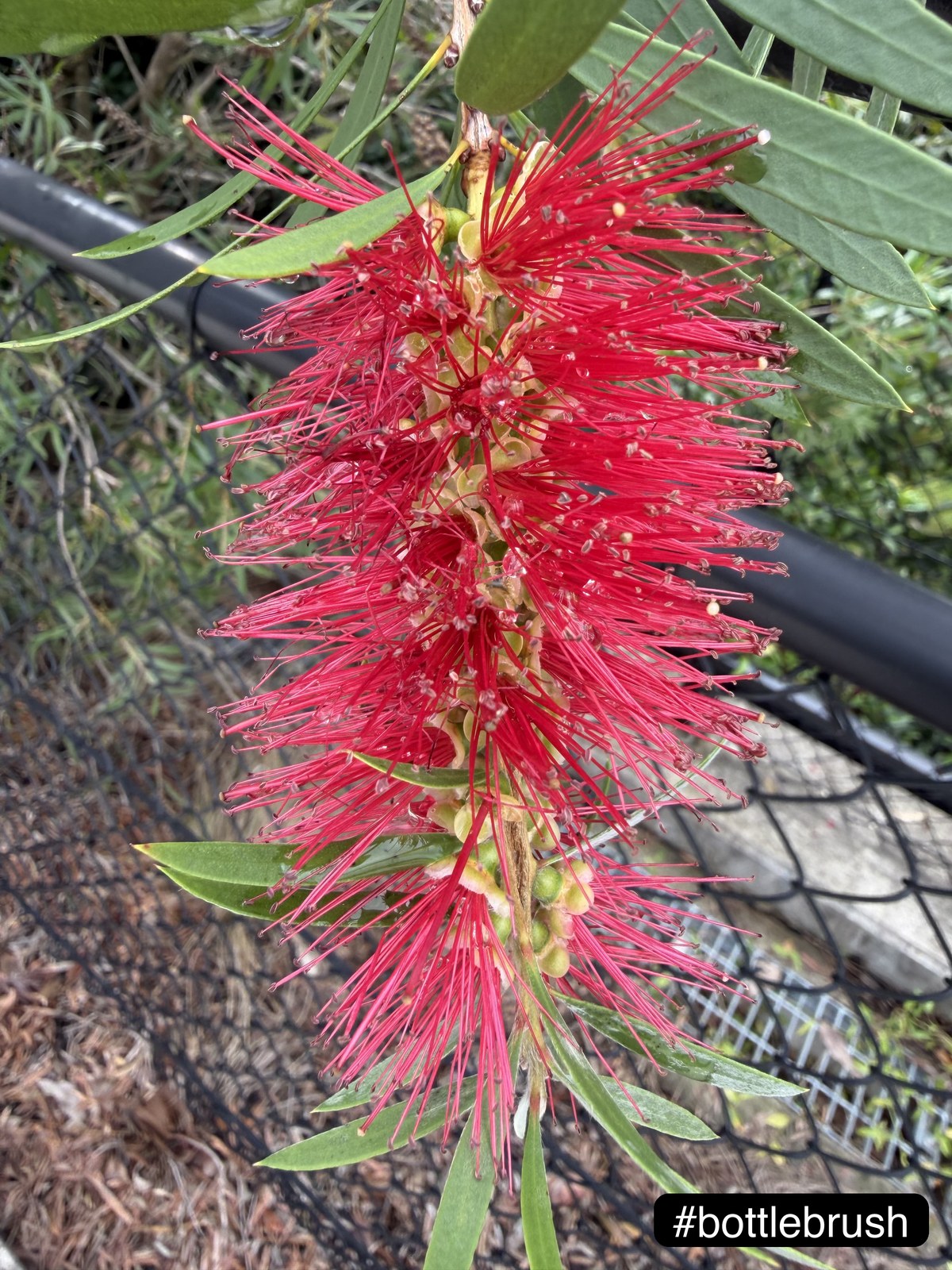
It was a Saturday afternoon in early March. I’d come back from a walk around the garden with thirty-five photos on my iPhone — bottlebrush in full red, honeysuckle dripping with rain, a lilly-pilly cluster doing its outrageous pink thing, and at least one inexplicable shot of an old railway station I’d passed on the way home.
I wanted to post a handful of them with consistent little hashtag labels — #bottlebrush, #honeysuckle, #flower — burned into the corner like a quiet caption. Not a watermark, not a filter, just a small readable pill that says “this is what you’re looking at.”
What I didn’t want was to open each HEIC in Preview, draw a text box, fiddle with the font, export, repeat thirty-five times. So I did the only reasonable thing: I wrote a small Python tool that does it for me.
The shape of the pipeline
┌──────────┐   ┌──────────┐   ┌──────────┐   ┌──────────┐   ┌──────────┐
│  Folder  │──▶│  Vision  │──▶│   CSV    │──▶│  Apply   │──▶│  Tagged  │
│  photos  │   │ provider │   │  review  │   │  + pill  │   │  output  │
└──────────┘   └──────────┘   └──────────┘   └──────────┘   └──────────┘
                                    ↑
                          human-in-the-loop seam

   --mode propose:  folder ─▶ vision provider ─▶ CSV
   --mode apply:    CSV ─▶ render + pill ─▶ tagged output
The minimal product was easy to describe. Point the script at a folder. For each image — HEIC, JPG, PNG, whatever the iPhone or my camera roll throws at it — open it, figure out what’s in it, draw a small rounded hashtag pill into the bottom-right corner, save the result to a tagged_output/ subfolder. No watermark across the centre of the image, no filter or colour grade, no destructive edit to the original, and no making me choose the label by hand when a vision model can have a decent first guess.
That last point is where the design got interesting.
The seam
You could write this as a single command: walk the folder, ask the model, render the tag, done. I tried that first. The first-pass run produced a folder of beautifully tagged images, about a quarter of which were wrong in some quietly maddening way — a daisy called #flower, a fern called #leaves, the railway station called, charitably, #station.
So the script runs in two passes.
--mode propose opens each image, hands it to the vision model, and writes a CSV with five columns:
image_path, label, score, suggested_tag, final_tag
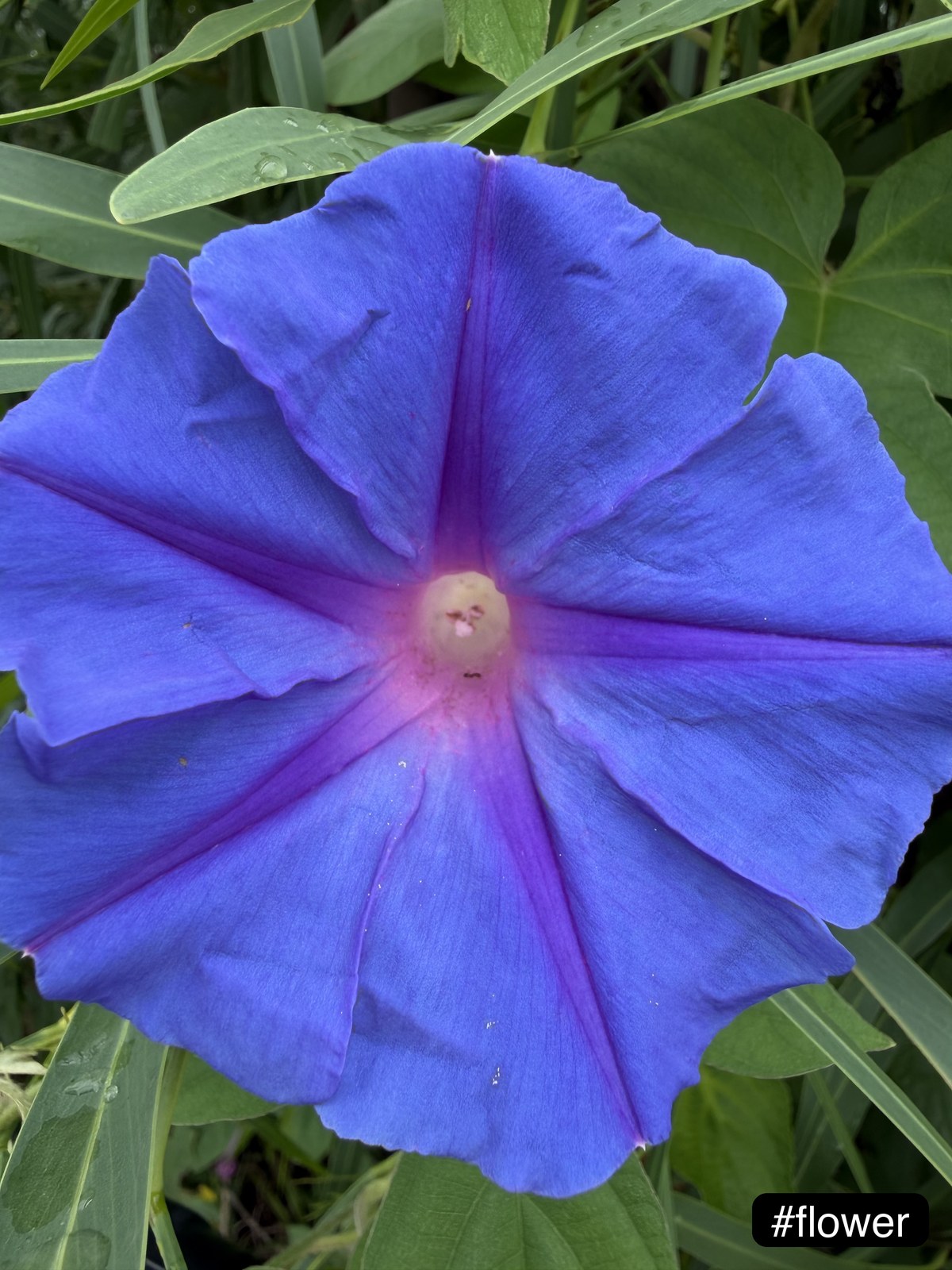
final_tag is initialised to suggested_tag, but the whole point of the column is that you can edit it. Open the CSV, glance down the list, fix anything obvious — flower becomes morning_glory, leaves becomes bamboo — save, close. On this batch, 9 of 35 rows needed editing (a daisy, the railway station, two ferns, the bamboo, and four generic-flower fallbacks). A thirty-second pass.
--mode apply then reads the CSV row by row and renders the tag using whatever’s in final_tag. The CSV is the human-in-the-loop seam. It is much cheaper than re-running inference, and it catches the cases where the model was right about the genus but wrong about the species, or just wrong.
Three providers, one interface
I didn’t want to commit to one vision model — the price/quality trade-offs are too lively right now. The script supports three providers behind one interface, picked via --provider local|openai|xai.
Local CLIP. HuggingFace’s openai/clip-vit-large-patch14 against a fixed candidate list. Free, offline, ~0.4 sec/photo on an M3 Pro. The cost is breadth: anything outside the candidate list collapses to the nearest match. CLIP doesn’t know what a bottlebrush is unless I tell it the word.
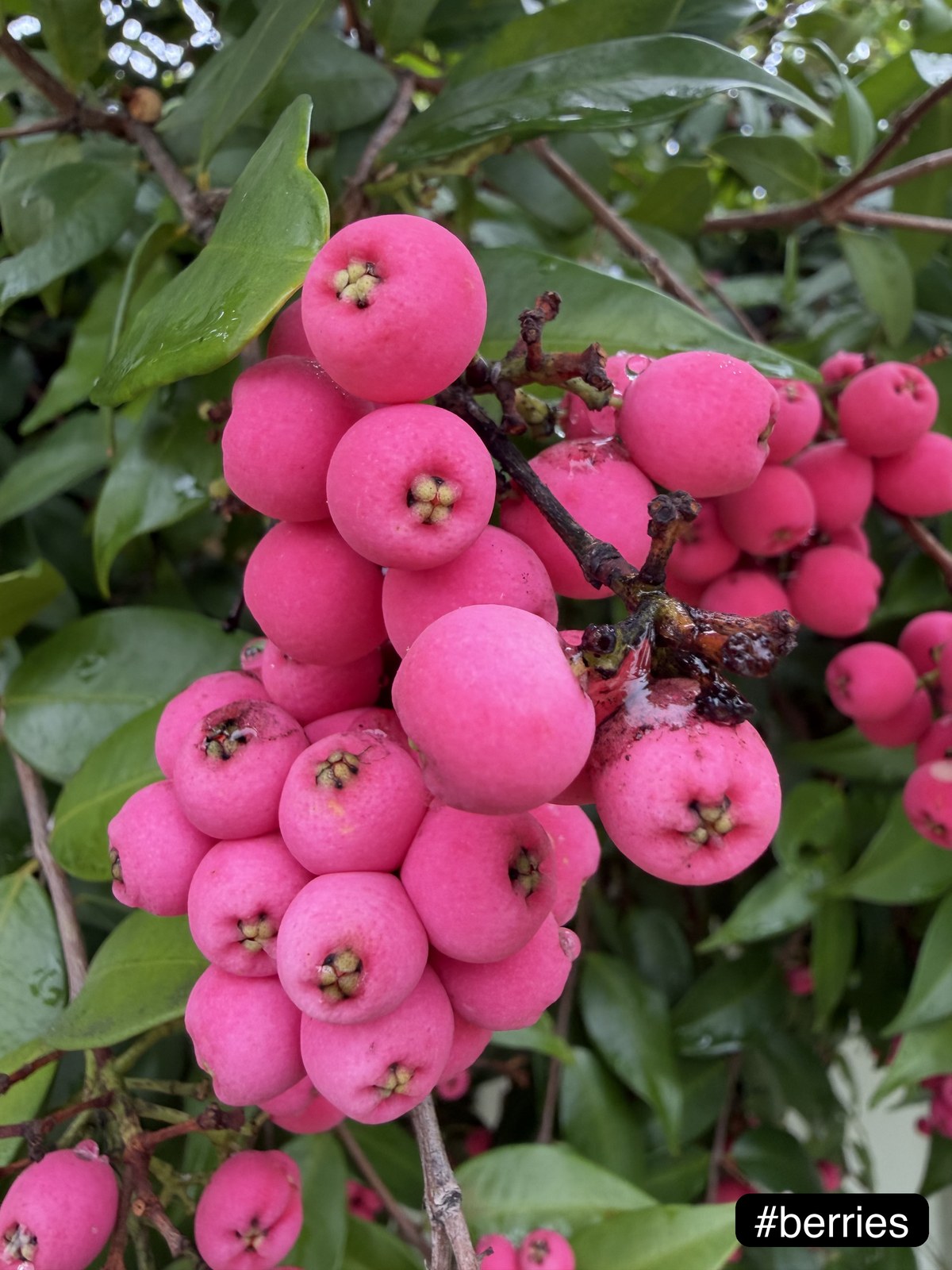
OpenAI. gpt-4o-mini by default, with an opt-in --high-accuracy flag that retries low-confidence cases (under 0.72) on gpt-4o. ~2.1 sec/photo, ~$0.18 for the 35-photo batch. Open-ended labels — how bottlebrush, honeysuckle, fern, and berries ended up in the CSV rather than flower, flower, leaves, fruit. 22% of the batch tripped the retry threshold and went to gpt-4o.
xAI Grok. Same OpenAI-compatible client, pointed at api.x.ai with grok-2-vision-latest. Useful if you’re already on the x.ai stack or want a different model family’s vote.
The mental model: local CLIP for batch-of-a-hundred-photos-on-a-flight, OpenAI as the daily driver, and the high-accuracy retry for exactly the case where the model says “flower” with 0.55 confidence and I want it to look harder before I have to.
The blue morning glory below is what generic labels look like in practice — still a decent fallback, just unspecific. The model wasn’t wrong; it just wasn’t curious.
Two small touches
Two design choices are the difference between “the script works” and “the output looks intentional.”
Style-aware contrast. The pill needs to be readable on both a bright sky and dark foliage. The script crops the bottom-right region of the image, measures the mean luminance using the standard Rec. 709 weights, and flips the colour scheme above or below a threshold:
def style_aware_colors(img):
    w, h = img.size
    crop = img.crop((int(w * 0.68), int(h * 0.80), w, h))
    r, g, b = ImageStat.Stat(crop.convert("RGB")).mean[:3]
    luminance = 0.2126 * r + 0.7152 * g + 0.0722 * b
    if luminance < 140:
        return (255, 255, 255, 245), (0, 0, 0, 95)   # white text, dark pill
    return (0, 0, 0, 245), (255, 255, 255, 95)        # black text, light pill
Eight lines of PIL. In this batch every photo sampled dark — gardens are mostly green and shadow in the corner — so every output got the dark pill. The bright-pill branch is still there, waiting for a photo with sky or a light wall in the corner.
Save with fallback. HEIC writes occasionally fail for reasons that aren’t worth diagnosing in a personal tool. The save function tries the original format first; if PIL throws, it quietly drops to JPEG with the same filename stem. Eight more lines. On this batch, 3 of 35 fell back to JPEG. Without the fallback those three would have been a stack trace and a half-finished folder. With it, thirty-five of thirty-five made it through.
What I’d add next
Multi-tag support, so a photo can be #lorikeet #bottlebrush when the bird showed up in the bottlebrush. EXIF preservation through the round-trip — right now PIL strips most of the metadata, which I don’t love. A tiny review UI to replace the CSV step, either a Tkinter window or a one-page localhost app. Smarter candidate lists for the local provider, scoped by season or geography — Sydney summer has a different vocabulary than European spring.
None of these are urgent enough to displace “the script already does what I wanted.”
Closing observations
Three lessons that generalise beyond this script.
Human-in-the-loop is cheap and underrated. The CSV seam between propose and apply takes thirty seconds per batch and saves me from confidently wrong outputs. For any task where a model is confident-but-wrong some non-trivial fraction of the time — RAG, codegen, moderation, enterprise copilots, agentic workflows — a structured review step pays for itself almost immediately. The CSV doesn’t have to be elegant. It has to exist.
Pluggable providers are worth the small abstraction tax even on personal tools. I went from local CLIP to gpt-4o-mini to Grok in the space of one afternoon without rewriting the rendering code. The interface is (client, model, image) → (label, score) and that’s it. Once you’ve paid that cost once, you can keep up with a fast-moving model market essentially for free.
Small touches decide whether a script feels finished. Luminance-aware contrast and a save-format fallback don’t change what the tool does; they change how the output reads.
The model wasn’t the product. The seam was.
A short reel of the tagged photos in the wild: Instagram story.
About the Author
Ajay Walia
AI {IT Architect} focusing on local-first multi-agent AI engineering, zero-data-egress systems. Ideator, Creator and Executor on Curious Bit.
Keep Reading

A Field Guide to AI Chips
A beginner-to-intermediate field guide to the silicon powering modern AI. GPUs, TPUs, NPUs, CPUs, ASICs, FPGAs, edge chips and emerging architectures — what each is for, where you'll meet it, and how much it costs.
LLM & Embeddings — One Predicts Words. One Maps Meaning.
A walk through the two foundational mechanisms behind every modern NLP system — generative language models and similarity-based embeddings — using five hands-on exercises with Hugging Face and Gensim. Week 6 mini-project of the IITM Pravartak Professional Certificate Programme in Agentic AI.
About
Learner 🎓 · Negotiator 🤝 · Architect 🏗️ · Implementer 👷 · Surviving — enabled by AI. Currently exploring: AI, Hybrid Cloud, Automation, Networks, Digital Workplace<br><br><em>"He who thinks he knows, knows not.<br>He who knows that he does not know, knows."</em>